USB Tethering /Tether2.41
Publisher Description
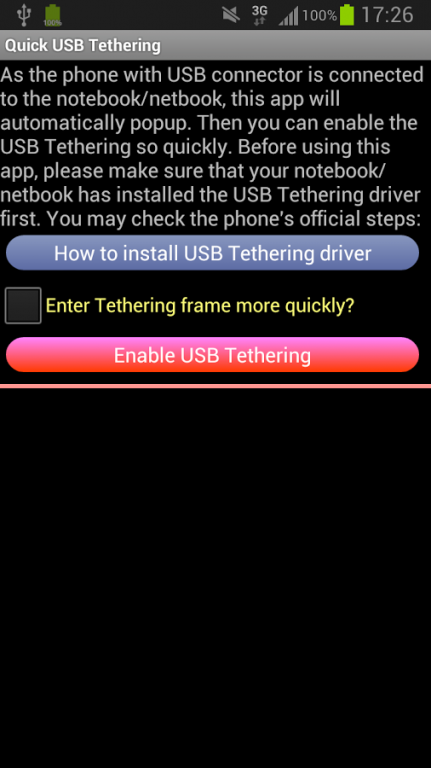
As the phone with USB connector is connected to the notebook/netbook, this app will pop up automatically. Then you can enable the embedded USB Tethering without needing too many clicks.
Before using this app, please make sure that your notebook/netbook has installed the USB Tethering driver. You may read from Android's official site: http://goo.gl/zg4tv
Download Free Now!
APP Features:
✔ Detects if the USB port is connected automatically.
✔ Shares your Internet to other mobile devices via wifi connection.
✔ Support APP to SD
After Android 4.0, the USB detection method was deprecated. Fortunately, the app development team has found the alternative solution. In this update, if the mobile device is connected with the USB connector, this app will pop up automatically. Hope it can help you save much time.
About USB Tethering /Tether
The company that develops USB Tethering /Tether is InnodroApps. The latest version released by its developer is 2.41. This app was rated by 4 users of our site and has an average rating of 2.3.
To install USB Tethering /Tether on your Android device, just click the green Continue To App button above to start the installation process. The app is listed on our website since 2015-07-19 and was downloaded 499 times. We have already checked if the download link is safe, however for your own protection we recommend that you scan the downloaded app with your antivirus. Your antivirus may detect the USB Tethering /Tether as malware as malware if the download link to com.USB is broken.
How to install USB Tethering /Tether on your Android device:
- Click on the Continue To App button on our website. This will redirect you to Google Play.
- Once the USB Tethering /Tether is shown in the Google Play listing of your Android device, you can start its download and installation. Tap on the Install button located below the search bar and to the right of the app icon.
- A pop-up window with the permissions required by USB Tethering /Tether will be shown. Click on Accept to continue the process.
- USB Tethering /Tether will be downloaded onto your device, displaying a progress. Once the download completes, the installation will start and you'll get a notification after the installation is finished.
Program Details
System requirements
Download information
Pricing
Version History
version 2.41
posted on 2015-07-19
*** Add the detail setting for launch app with two modes.,*** You can remove the ad and enter the USB Tethering screen without any click (IAP),***After Android 4.0, the USB detection mechanism was deprecated. Fortunately, the app development team has found the alternative solution. In this update, if the mobile device is connected with the USB connector, this app will activate automatically. We believe that this can help you save a lot of time.
version 1.1
posted on 2011-06-29
Sfx Module: added ability to cancel decryption process by pressing close [x] button.
